
Add a property without an EPC
Without an EPC, you fill in a few basic details about your property yourself. Not sure about something? That’s fine: for the construction year and the area, you can pick an estimate.
How to add your property
Go to Estates and select Add estate.
Select Enter manually.
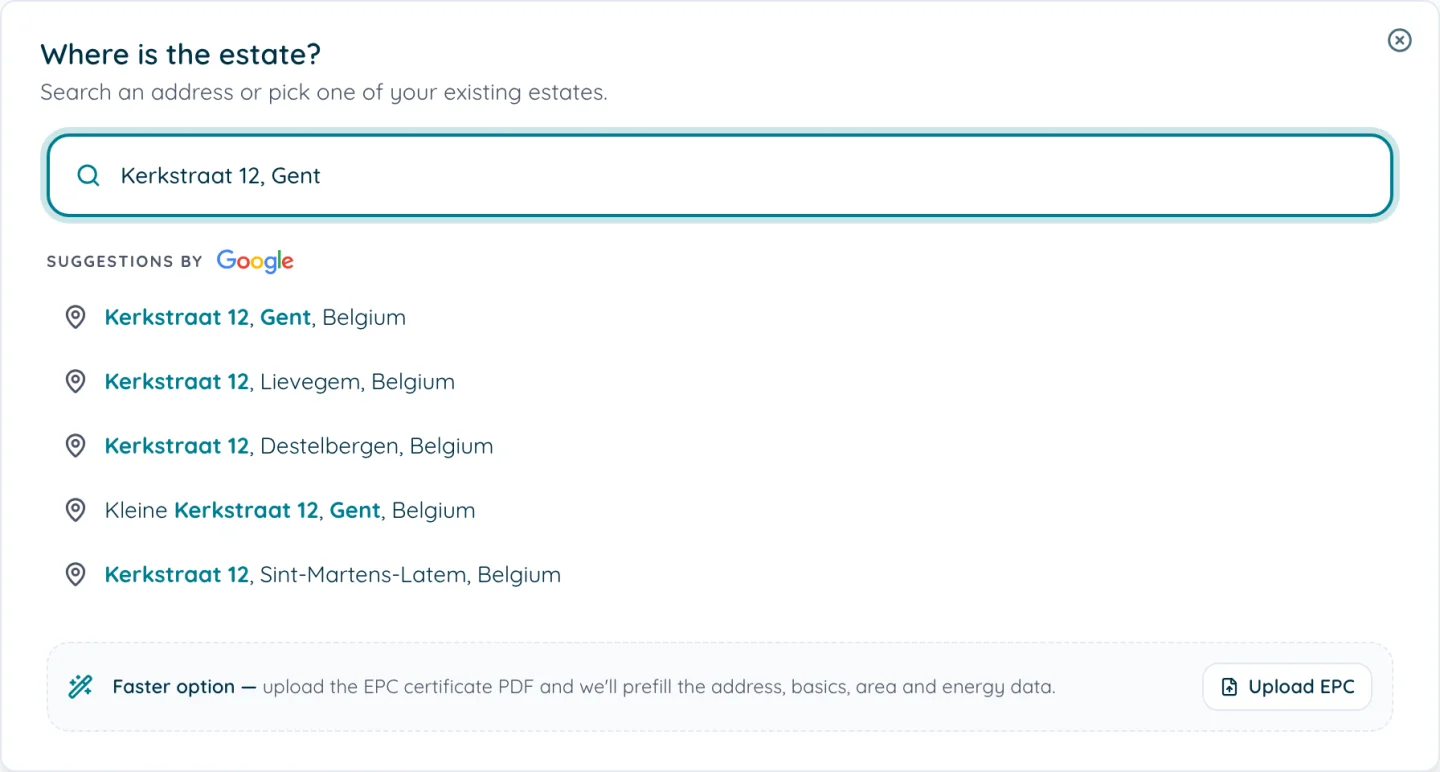
Type your address in the search field and pick the right address from the suggestions.
Check the address details. A unit number is optional. Select Next.
At Construction year and type, fill in the construction year. Don’t know the exact year? Tick I’m not sure and choose a period, from Before 1945 to 2006 or later.
Choose the building type:
- Detached
- Semi-detached
- Terraced
Construction year and building type are both required.
Select Next.
At Habitable area, enter the number of m². Don’t know the area? Tick I don’t know the exact size and choose a size:
- Small (~150 m²)
- Medium (~200 m²)
- Large (~280 m²)
Select Create estate.
Good to know: Back takes you one step back without losing your answers. Setle saves nothing until you select Create estate.
What you see next
Your property opens straight away. Did you choose an estimated area? Then the card shows no m². Select View details to see the estimate, marked “(estimated)”.
A property you add this way has no EPC label yet. Setle calculates that label once you’ve refined your property. To do that, on Refine your estate, open each topic marked “To refine” and answer the questions. Read how to refine your property.
If it doesn’t work
- “We couldn’t verify this address”: Setle only checks the address when you select Create estate. You then return to the address step. Correct the highlighted fields. Your other answers are kept. Does Setle suggest a corrected address? Select Use suggestion.
- “This estate already exists”: you already have a property at this address. Select Open existing estate. You’ll also see your existing properties at the address step, under Your estates.
Have your property’s EPC to hand after all? Then it’s quicker to add your property with your EPC.