
Share a renovation with your client
Available in Silver and Gold
Share a renovation with your client, so they can look at it at home in their own time. Your client gets an email and signs in with a free Setle account.
Share a renovation
Open the property and choose ⋮ next to the renovation. You can also use the share button on the Results tab.
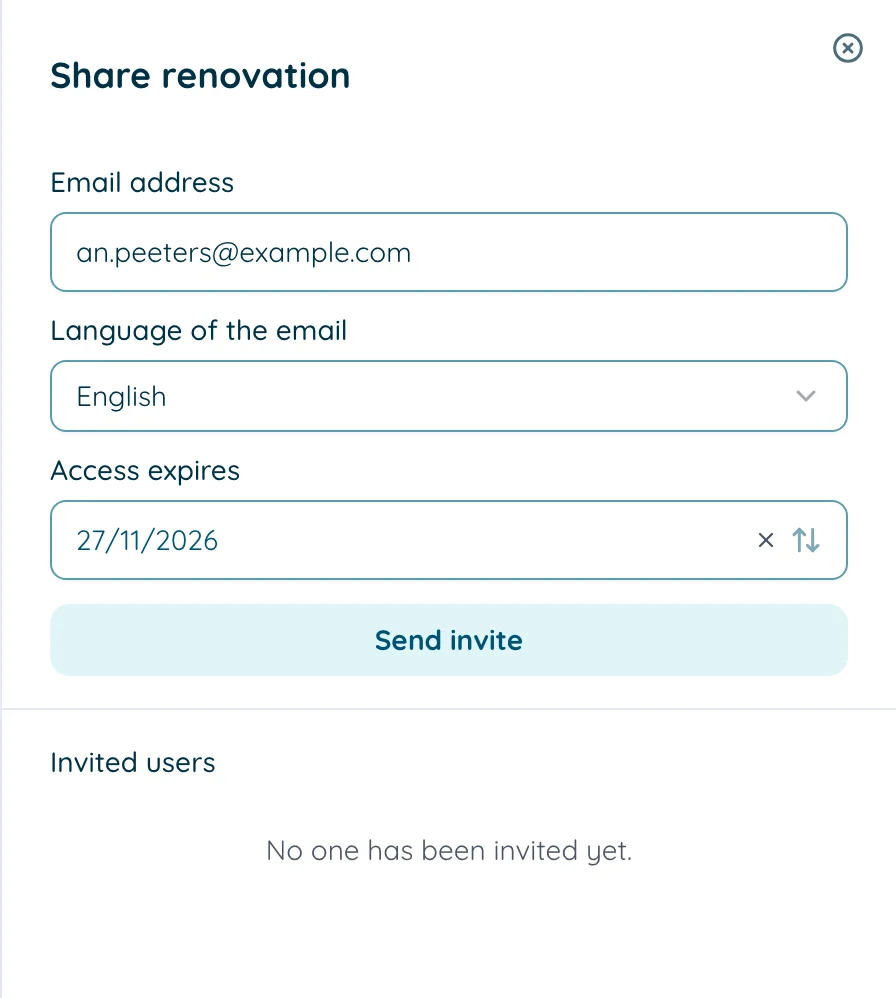
Choose Share renovation.
Enter your client’s email address.
Choose the language of the email.
Check the date under Access expires. By default, your client has access for 2 weeks. Clear the date to give access with no end date.
Choose Send invite.
A renovation you’ve shared shows a share icon.
What your client can do
Your client gets an email saying you shared a renovation plan with them. They create an account or log in with the email address you invited.
Your client can:
- view the renovation and adjust the plan
- download or email the report
Your client can’t change the property details, copy or delete the renovation, or share it further.
Manage access
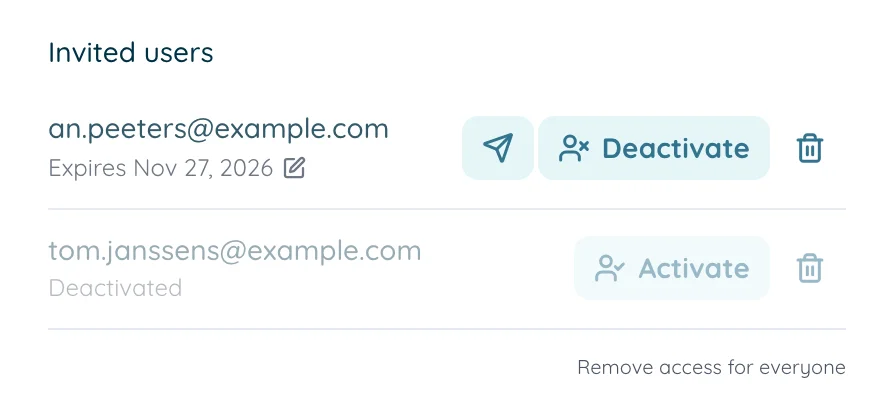
Open Share renovation again. Under Invited users, you see everyone you invited:
- The send icon sends the invitation again, for example in another language.
- Deactivate stops access straight away. Activate gives it back.
- Click the expiry date to change or remove it.
- The bin icon removes the person for good.
- Remove access for everyone stops all sharing for this renovation.
Access that has expired also shows as “Deactivated”. Your client doesn’t get an email when their access stops.
Did someone share a renovation with you?
Open the email and choose Create your account. Already have an account? Choose Log in. Use the email address the invitation was sent to. In your list of properties, the property shows who shared it with you.
Other ways to share
- Email the report as a PDF: read how to download or email the report.
- Show the renovation on your website: read how to set up the widget.
- Let your client start on their own: send them the link to Setle, so they fill in the property details at home. Read how signing in through a bank works.