
Reading your results: costs, label and grants
The Results tab brings your whole renovation together: what the plan costs, which energy label it gets you and which grants you may receive. These are estimates. They help you decide and plan your budget.
- Open your property.
- Pick a renovation under Your renovations.
- Go to the Results tab.
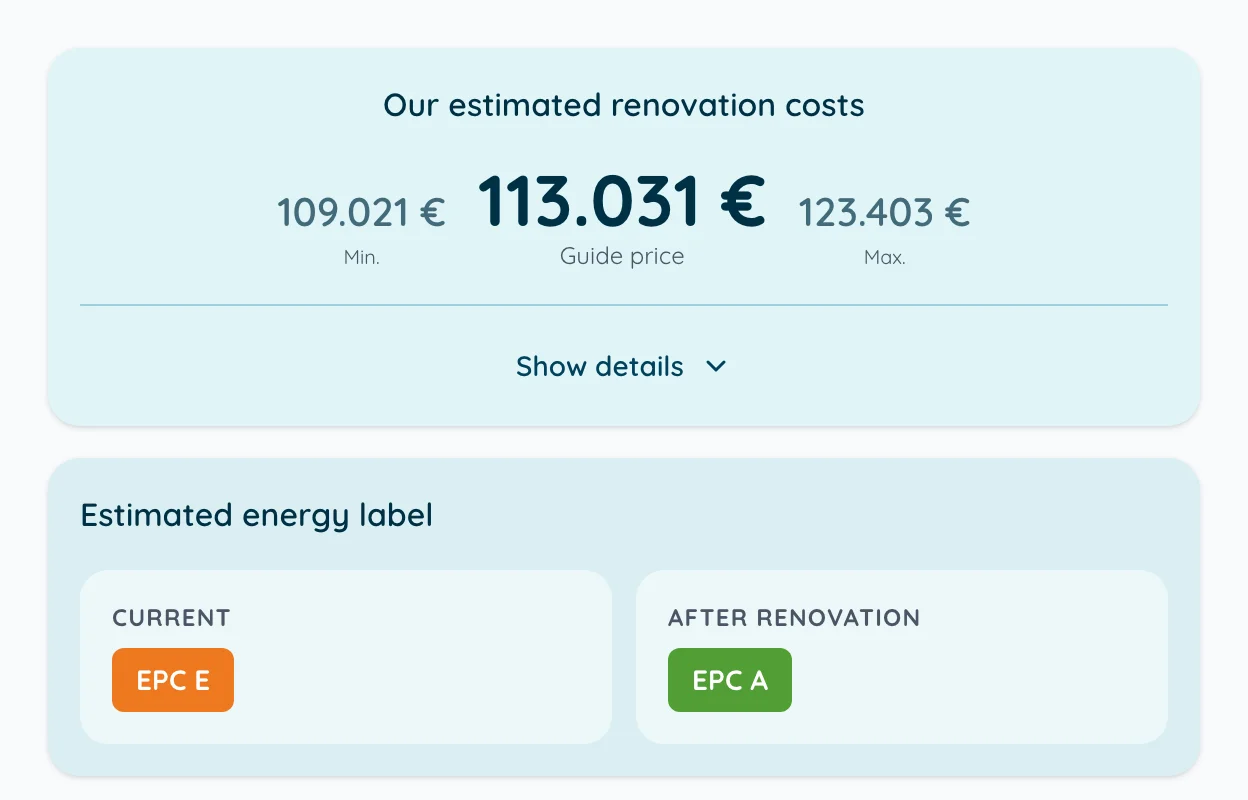
Estimated costs
Under Our estimated renovation costs you’ll find:
- the Guide price: what the works in your plan are estimated to cost
- a minimum and a maximum: the margin around that guide price
These prices include VAT.
Choose Show details for a closer look at the costs.
Setle works with market averages, so a quote from your contractor can come out differently. Read why prices can differ.
Estimated energy label
Estimated energy label puts your property’s label today, under Current, next to its label after the renovation, under After renovation. Does your current label show Calculated by Setle? Then Setle calculated the label itself, without an EPC.
Do you also see an energy use in kWh/m² per year and an Estimated reduction? Then Setle shows how much energy your property is estimated to need after the renovation, and how much less that is than today.
Read what your energy label means and how Setle checks whether your plan meets the renovation obligation.
Grants
A separate card sums up your grants. Setle calculates them from the EPC data and the property’s address. Is the Grants tab active? Then you can personalise your grants there for a closer estimate.
Your renovation report
The Download your renovation report card lets you download the renovation report as a PDF. You can also email the report. Read how to download or email the report.